Fix your shadowban. Keep your account healthy
Scan your connected X or Bluesky account (Threads coming soon) for restriction risks, then follow a step-by-step recovery plan. Account Health keeps watch for new warning signs.
Try live demo
● sample data · click anything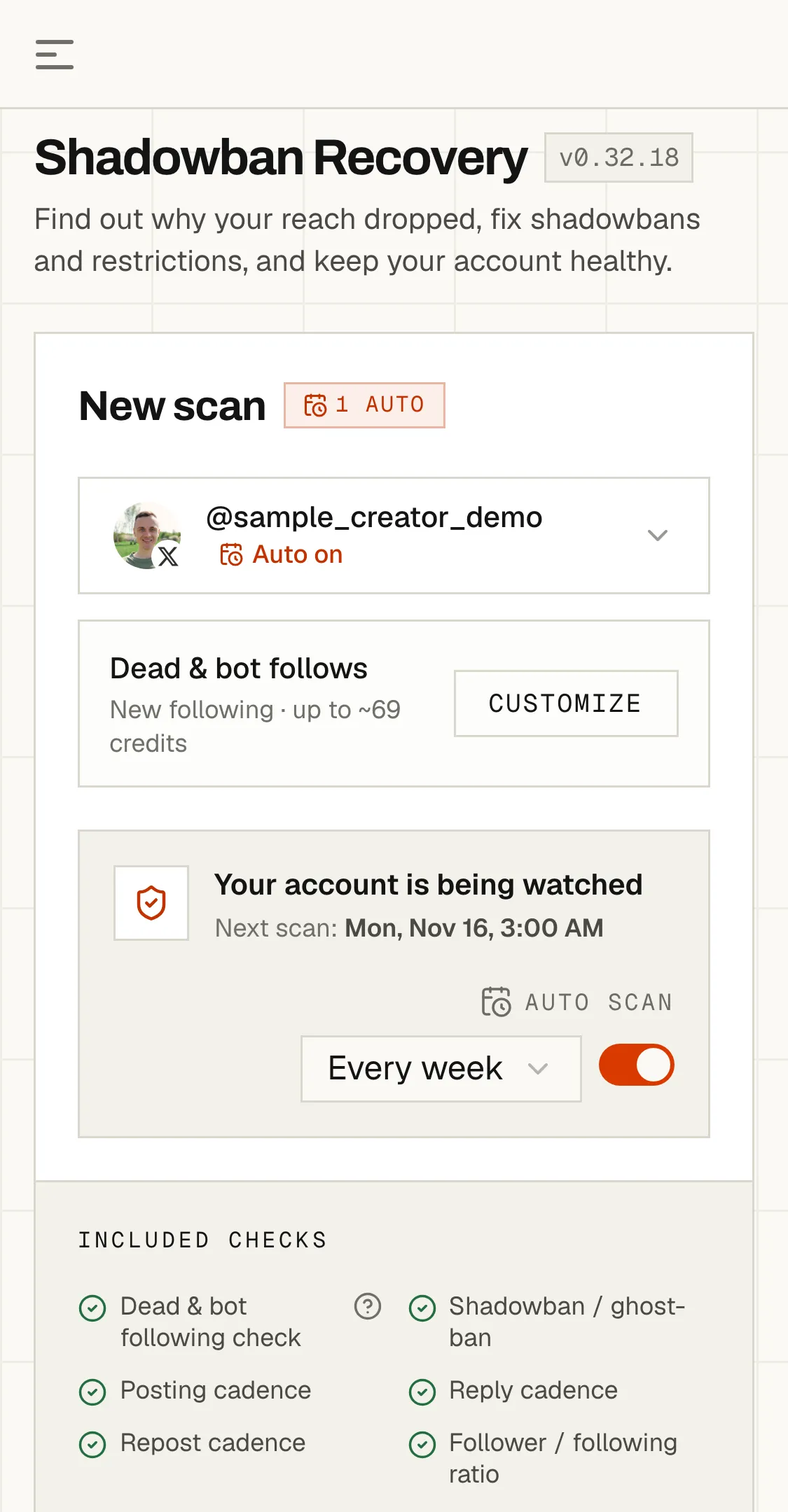
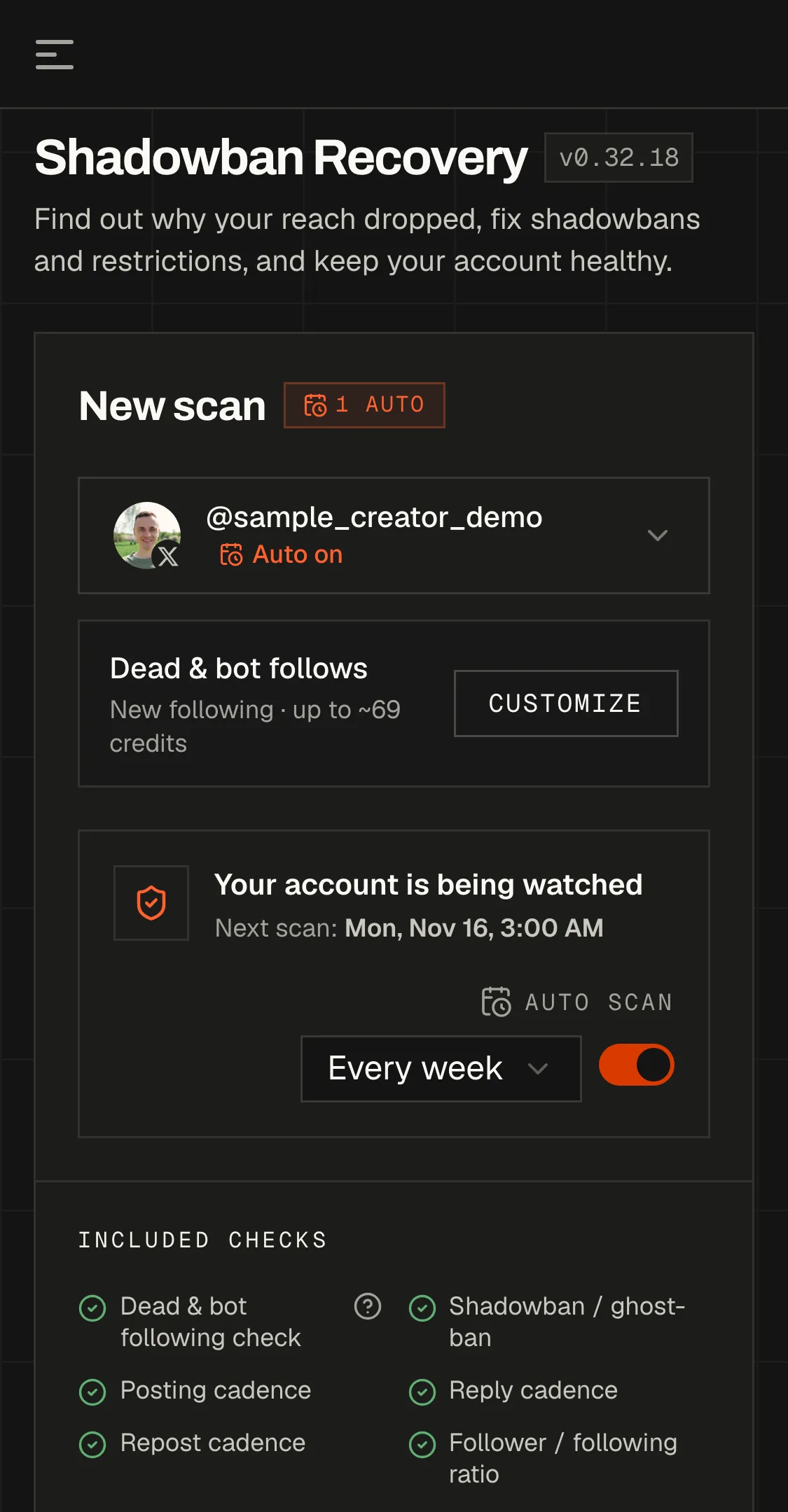
The real app, with sample data. Press Scan and watch a recovery scan run — nothing to install, nothing to sign up for. This is the scan you get when you sign up.
Fix the restriction, then never get caught by the next one.
One scan tells you what is limiting your account and how to fix it. Leave it running and Unmutely keeps checking, so the next restriction never goes unnoticed.
Find the restriction and get your reach back.
Unmutely checks whether your account is shadowbanned or restricted, shows the evidence behind each verdict, and turns it into a step-by-step plan from our recovery playbook. Only the platform knows why it acted, so the plan works the risk patterns we can measure.
- A clear answer: restricted or not
- Which risk patterns are flagged, in plain language
- What to change first, and when to rescan
What to do, and when.
A short list of actions from a fixed catalog: pause, post ceilings, which replies or posts to review, which apps to revoke, which setting to change. Each sits in a day window: do now, after the pause, before the rescan. Rescan and it marks off what you did and reshapes what is left.
Keep watching so it does not happen again.
Turn on Auto scan and Unmutely re-checks the account on the schedule you pick — every 1–10 days, every two weeks or monthly. Every successful run reports what the checks observed.
- Automatic re-checks, daily to monthly
- A result after every run, in Unmutely, email and Telegram
- Full scan history, so you can see what changed
9 account-health areas, one clear verdict.
The scan keeps the scored areas stable across reports so changes are comparable. A separate trust and security checklist covers the settings only you can confirm.
X search, ghost-ban, suggestion and reply-deboost probes, including sensitive-media evidence. When Threads opens (coming soon), it gets the outsider-view checks Threads exposes; Bluesky is marked not applicable, never falsely clear.
Posting pace and bursts against the healthy band for the account's niche.
Reply volume and rolling-day peaks that can resemble automated engagement.
Repost pace scaled to account age, size and the share of amplified content.
Whether following activity has produced the shape of aggressive follow growth.
Recent posts, replies and reposts reviewed for repetition, spam-like patterns and platform labels.
Recent performance against the account's own baseline, where the platform supplies the data.
Follower and following movement across scans, including churn, drops and following pace.
Accounts you follow checked for inactivity and bot or follow-farm patterns, with optional follow-back checks.
Trust and security checklist
Connected apps, phone recovery, two-factor authentication, identity or paid verification where supported, and account age. Open gaps can raise a clean result to a warning, but never create a high-risk verdict on their own.
Platform coverage differs: X supports the deepest visibility and following checks; Threads (coming soon) will include owner-only confirmations; Bluesky marks unavailable restriction checks as not applicable instead of pretending they passed.
Connect, scan, follow the plan.
- 01
Connect your account
X or Bluesky, through the platform's official login (Threads is coming soon). We never see your password, and the scan reads — it never posts.
- 02
Scan
A minute or two: nine scored account-health areas, the trust checklist, and one verdict. Every scan is saved.
- 03
Follow the plan, rescan
A day-windowed action list — what to do today, what waits until the pause ends, when to rescan. Each rescan marks off what you did and reshapes what is left. Turn on Auto scan and it reruns on a schedule, and every successful run reports what the checks observed.
Pay per scan. No subscription.
Unmutely meters one thing — credits — and they never expire. Buy a pack once and scan whenever something feels off.
Nine scored account-health areas, the trust checklist, and the recovery plan — same base scan price on X and Bluesky (Threads coming soon). Rescans cost the same.
- ✓Free to start — welcome credits on signup, no card
- ✓Free daily shadowban checks for everyone
- ✓Credits never expire and cover posts, audits and checks too
$10 is the unit — bigger packs buy more credits per dollar. Buy once, spend whenever: the same balance also covers Profile Audits, shadowban checks, following and follower checks. Full ladder and per-action prices on the pricing page →
What people ask first.
Q01How is this different from the free shadowban test?
The free test checks current public visibility. Shadowban Recovery adds connected-account activity, reach, and history to surface possible contributing factors, and turns them into a day-by-day recovery plan that updates each time you rescan. It cannot prove why a platform acted; only the platform knows that. Try the free shadowban test.
Q02Is it safe to connect my account?
Yes. You connect through the platform's OAuth flow, and we never see or store your password. The scan uses official platform APIs and protocols where available. Some X public-visibility checks (and Threads ones, when Threads opens — coming soon) use third-party providers to see your public posts and profile the way other people do; those providers do not receive your OAuth token. You can disconnect at any time.
Q03Which platforms does it support?
X (Twitter) and Bluesky today; Threads is coming soon. Every account gets the same risk checks and the same trust checklist — what differs is how deep each block can go, and that's set by what each platform exposes, not by us. On X we run real probes: search ban, ghost ban, search-suggestion ban and reply deboosting — and the suspicious-follows check reviews who you follow the same way. When Threads opens, we'll probe profile visibility and people search from a logged-out view, then hand you the two checks only you can run yourself — whether your replies show for a second account, and what Settings → Account Status says. Threads gives nobody a way to enumerate replies from the outside, so we'll say that plainly instead of returning a clean result we can't stand behind. On Bluesky the protocol exposes no shadowban signals at all, so the shadowban block is marked not applicable; the suspicious-follows block checks who you follow for inactive and deleted accounts, and the other six still run. The price is the same everywhere: 210 credits per scan, pay as you go.
Q04What is in the recovery plan?
A short list of actions from a fixed catalog — pause, post ceilings, which replies or posts to review, which apps to revoke, which setting to change — each placed in a day window: do now, after the pause, before the rescan. The advice comes from our recovery playbook and observed recoveries, never invented per account. Rescan and it marks off what you did and reshapes what is left; Auto scan reruns it on a schedule and reports the result of every run.
Q05How does Account Health protect me after recovery?
Auto scan reruns the nine scored account-health areas on a schedule you choose — every 1–10 days, every two weeks, or monthly. Unmutely saves each result, compares reach or engagement and follower/following movement across scans where supported, and delivers scheduled results through Unmutely, email and Telegram. Each run uses credits like a manual scan; this is scheduled monitoring, not real-time surveillance.
Q06Do I need to pay to use Shadowban Recovery?
A scan costs 210 credits — about $2 pay-as-you-go — drawn from the one prepaid pool everything else spends from. Every new account starts with 100 welcome credits and no card — that covers shadowban checks to try things out; $10 buys 1,000 credits — about three scans with the follow check each one runs — and credits never expire. No subscription. The same credits also cover audits, following and follower checks, and shadowban checks. Same on X and Bluesky (and Threads, coming soon). The one-shot shadowban test stays free for everyone, no account needed. See pricing.
Suspended, not just limited? Appeal it step by step with Ban Assistant →
Recover now. Stay protected.
One scan fixes today. Account Health watches for the next risk.